Remove Switch - Electric steering column
| 1. | Fully extend the steering column.
| | |
|
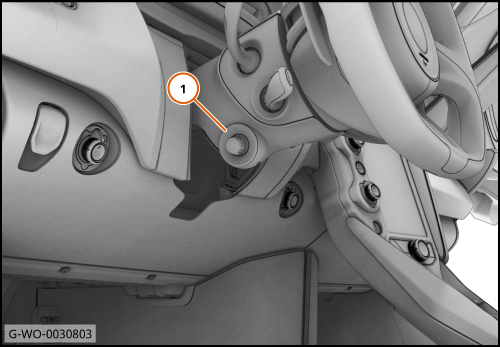
| 2. | Unclip and remove the switch surround (1) from the switch.
| | | 
|
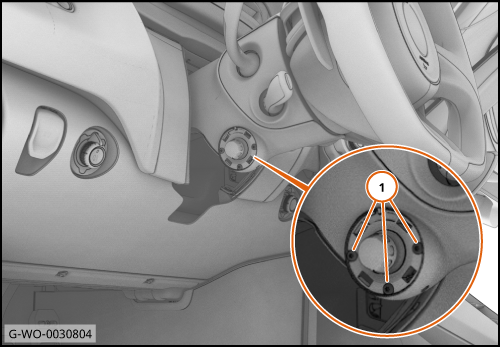
| 
|
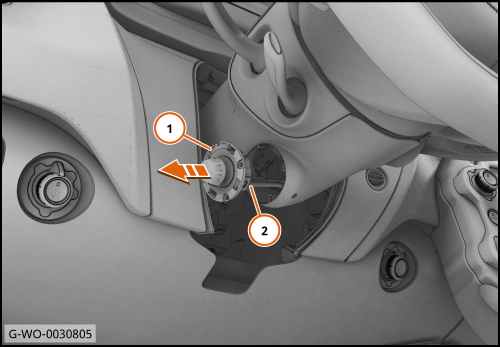
| 4. | Pull out the switch (1) and disconnect the electrical connector (2).
| | | 5. | Remove the switch.
| | | 
|
Install Switch - Electric steering column
| | | Care Point: | The Switch surround has an alignment location detent on its inner face. Make sure this is correctly positioned before installation.
|
| | | 1. | Install the components in reverse order.
| | | 2. | Do a functional test of the switch.
| | | 3. | Connect the McLaren Diagnostic System (MDS).
| | | 4. | Connect the McLaren Diagnostic System (MDS) and do a Diagnostic Trouble Code (DTC) read and clear.
| | |