Repair instructions
    Body Structures
    Body Panels and Closures
    Body Exterior
      Exterior Ornamentation
        Front Bumper
        Front Trim
        Filler Bowls and Covers
        Luggage
        Rear Trim
          DA-RM-03A071-08-001 - Remove/Install Badge - Rear
        Rear Finishers and Grilles
        Rear Bumper
      Glazing - Exterior
      Lights
      Wipers and Washer System
      Ducts, Vents and Floors
      Liners and NVH
      HVAC
    Chassis
    Powertrain
    Electrical
    Interior
    Accessories
    PDI/Service/Track/Technical Sheets
    Paint Technical Data Sheets
    Wiring Schematics
  Customer Service
Instructions
Body Exterior / Exterior Ornamentation / Rear Trim / DA-RM-03A071-08-001 - Remove/Install Badge - Rear
Remove Badge - Rear
1.  
Remove the bolts (1) (M6x16) 4 Nm.
 
2.  
Remove the centre grille.
 

3.  
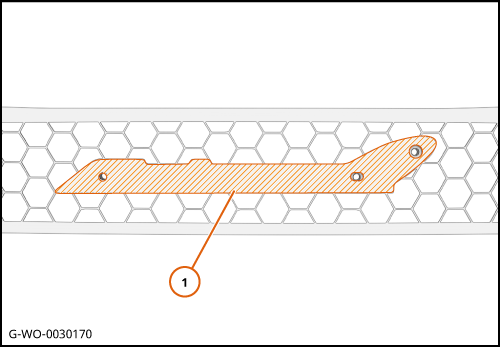
Break the bond of the adhesive tape and remove the badge (1).


Install Badge - Rear
1.  
Remove the remaining adhesive tape from the badge bond path.


Care Point:
When you apply cleaner, obey the manufacturer's flash times.

 
2.  
Clean the adhesive tape bond path (1). Use BETACLEAN 3900.
Apply 3M 4914 Foam tape to the adhesive tape bond path.
 

3.  
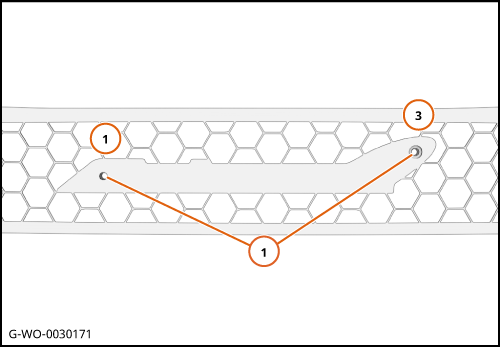
Align the P26 jig with the holes 1 and 3 on the P14 grille (1) DA-RM-03A071-08-001 - 720S Badge Drill Guide.
 

4.  
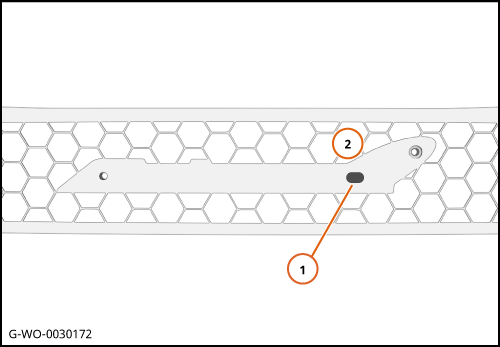
Drill a new hole in position 2 (1).
 

5.  
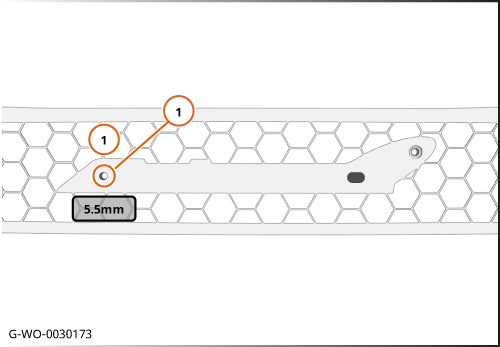
Increase the diameter of the hole (1) to 5.5mm.
 
 
Care Point:
When you apply primer, obey the manufacturer's flash times.

 
6.  
Apply Sika Primer 206 G+P to the drilled holes.
 

7.  
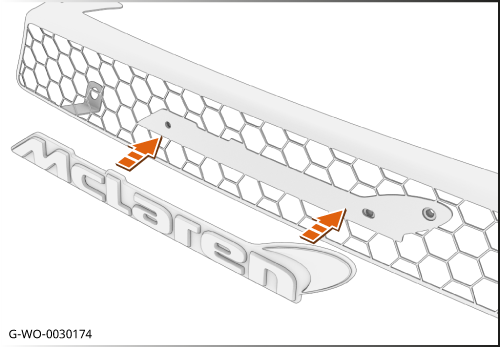
Install the badge in the direction shown.
 

8.  
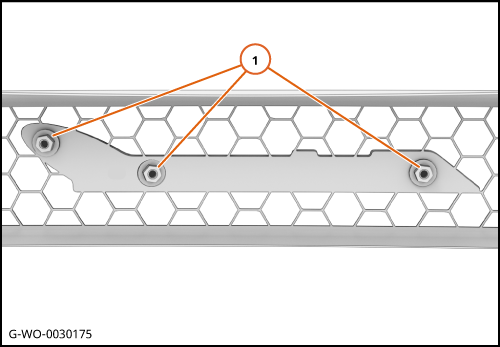
Install the nuts (1) (M5x12) 2 Nm.
 
9.  
Install the remaining components in reverse order.


   Note